
Keep your Mac awake until the job is done
SleepPilot sits in the menu bar as a small moon. Keep the Mac awake until you stop it, for a while, or until a command, a download or a backup finishes. Then it lets the Mac sleep. When it should be sleeping, SleepPilot shows you which apps keep it awake.
macOS 14 Sonoma or later · Apple silicon and Intel
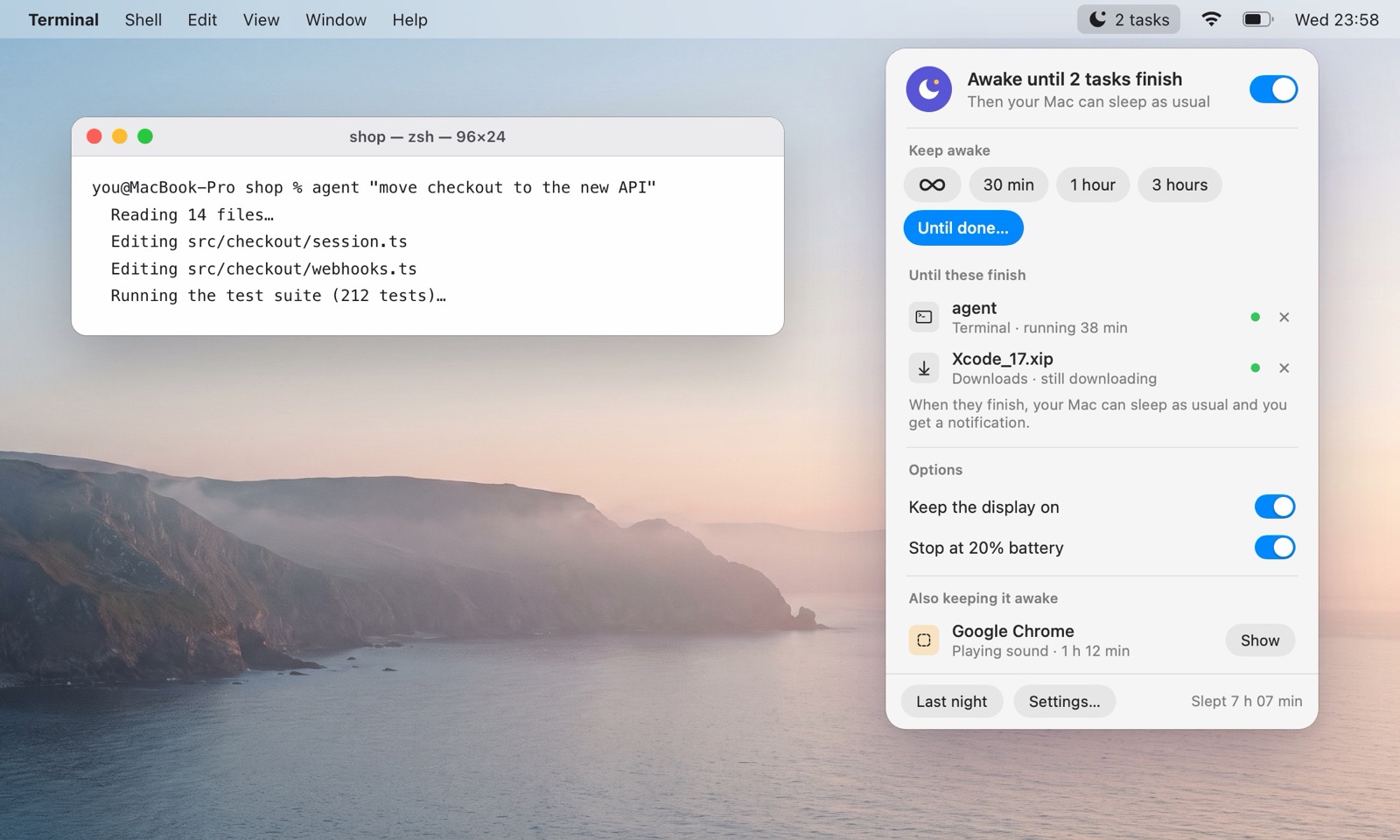
Awake until it’s finished, then asleep
Pick what you’re waiting for under Until done… SleepPilot keeps the Mac awake while it runs and notices when it ends, so you don’t have to guess how long to set a timer for.
An AI coding agent, a build, ffmpeg, rsync, npm: anything you started from a shell.
A file in your Downloads folder that is still downloading. It counts as done after a minute without changes.
The backup that is running now.
When the last one ends, SleepPilot lets go: your Mac sleeps as usual, and a notification tells you what finished. From Terminal or a script you can do the same with a link:
your-command & open -g "sleeppilot://wait?pid=$!"
Keep your Mac awake until a command or AI agent finishes · until a download finishes
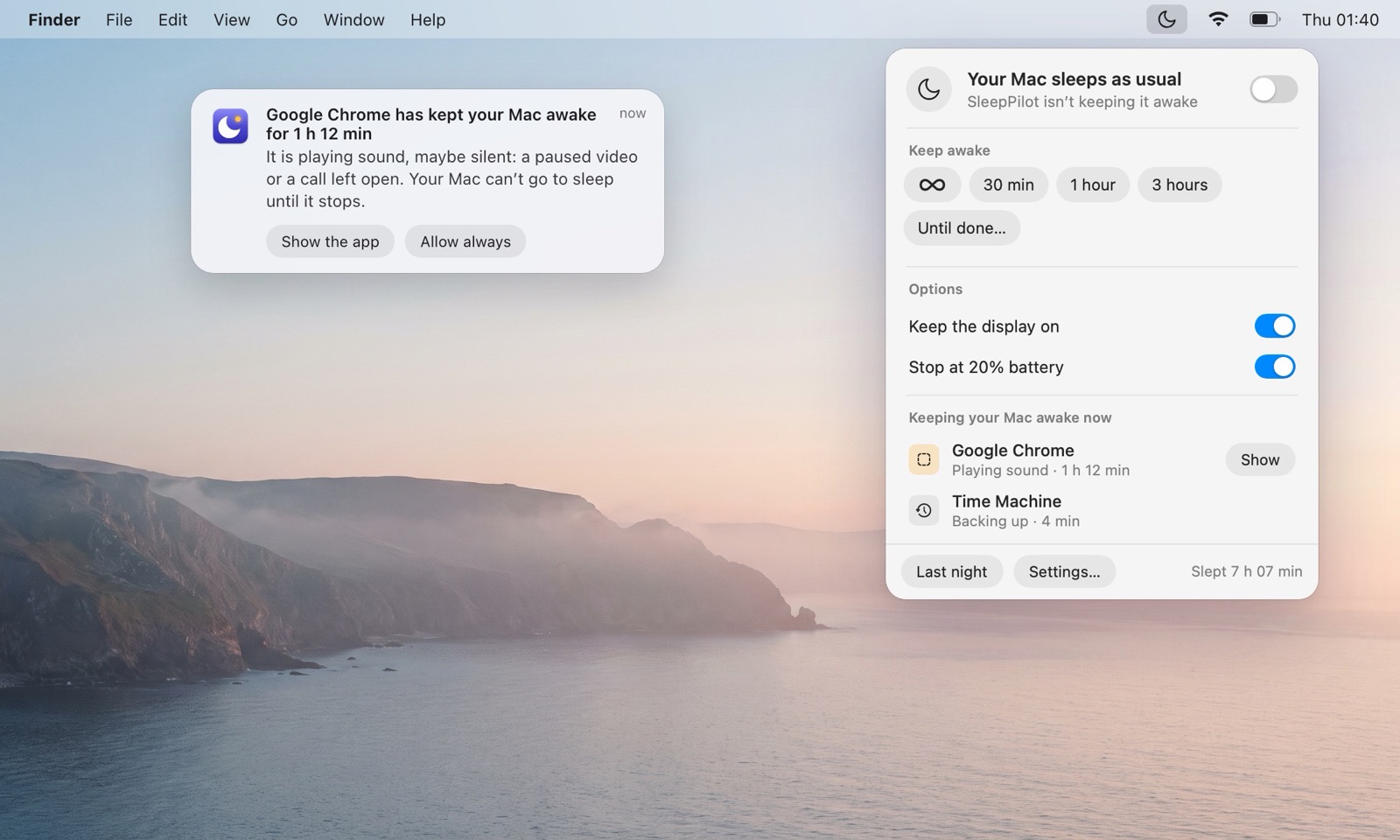
See what keeps your Mac awake
Some apps stop the Mac from sleeping and never tell you: a paused video in a browser tab, a call app with the microphone open, an app that holds the Mac awake for as long as it’s open. SleepPilot lists every one by name, right in the panel, and warns you when one holds the Mac awake for too long while nobody is using it.
- coreaudiod: Keeps the Mac awake while any app plays or records sound, even silence.
- Google Chrome: “Playing audio”, “Video Wake Lock”, “Capturing” or “Download in progress”.
- Electron: An app built with Electron asked to stay awake; the assertion is named just “Electron”.
- caffeinate: Someone, or a script, asked the Mac to stay awake from Terminal.
- powerd: “Prevent sleep while display is on”: normal while you use the Mac, gone when the display sleeps.
- WindowServer: Every key press and mouse move counts as activity, so the idle timer starts again.
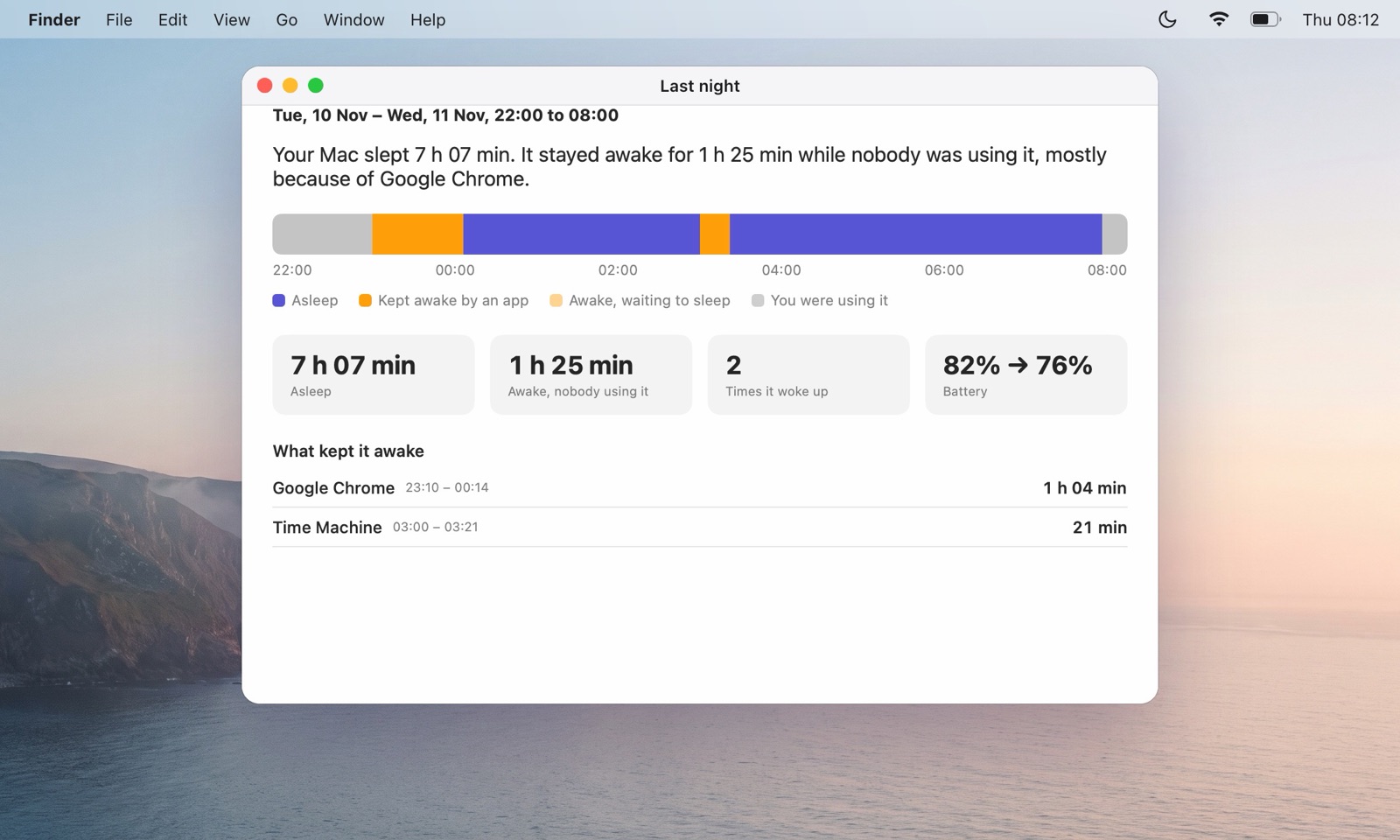
A report of the night, every morning
SleepPilot notes when your Mac sleeps and wakes and which apps keep it awake. In the morning it shows how long the Mac slept, how long it stayed awake while nobody used it, what kept it awake, and how much battery it used. The notes stay on your Mac for 30 days.
The simple things work simply
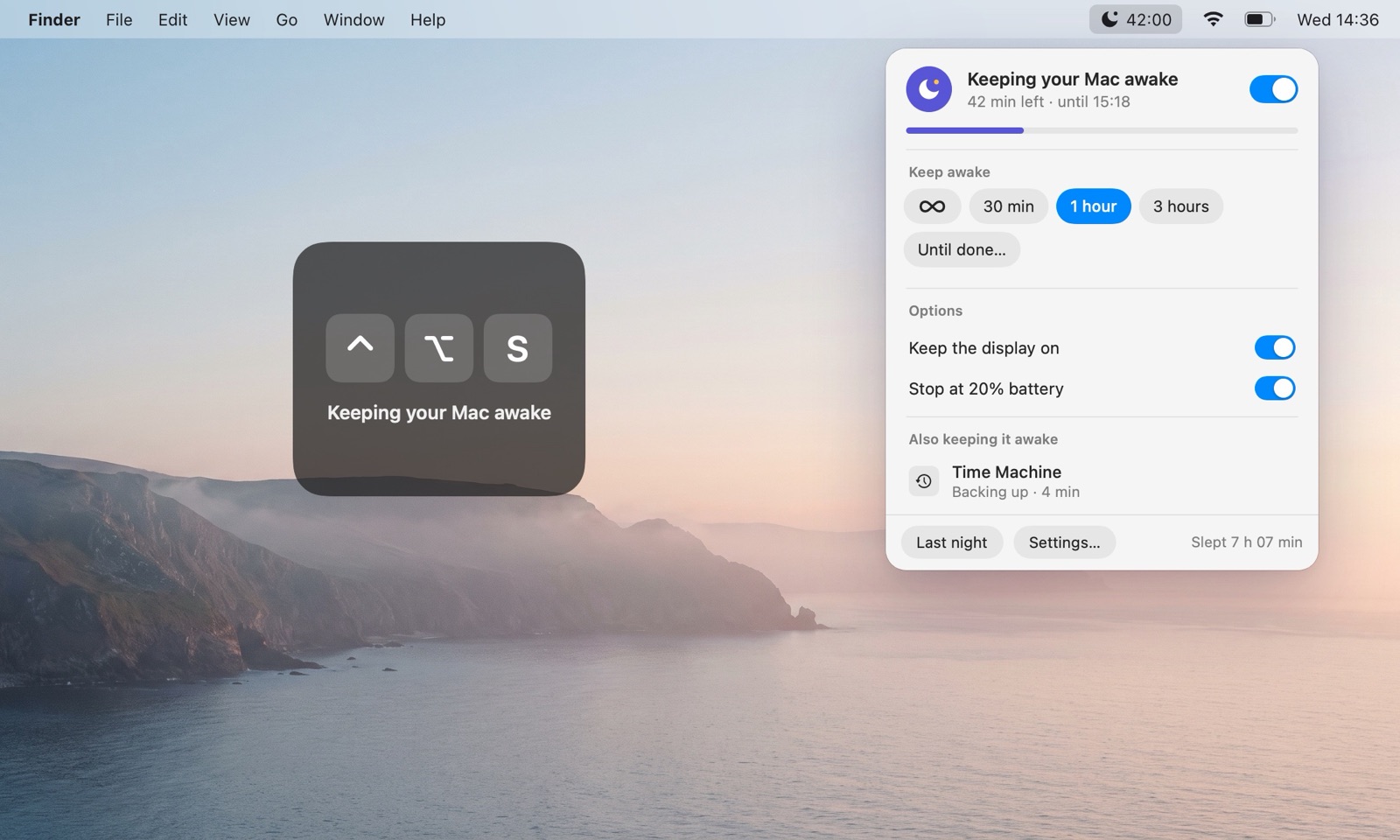
One click
Click the moon, then ∞ to keep the Mac awake until you turn it off, or 30 minutes, 1 hour, 3 hours. The countdown sits next to the moon.
A keyboard shortcut
Press ⌃ ⌥ S in any app to turn it on or off. A short sign on screen confirms it.
Display on, or just the Mac
Keep the screen lit for a presentation, or let it go dark while the work goes on.
Safe for the battery
SleepPilot lets go when the battery drops to the level you choose, and when macOS reports that the Mac is overheating.
From scripts
open -g "sleeppilot://start?minutes=90" and sleeppilot://stop work from Terminal, scripts and automations.
Private
No account, no analytics, no internet connection. Everything stays on your Mac.
What SleepPilot doesn’t do. It doesn’t keep a MacBook awake with the lid closed: closing the lid still puts it to sleep unless it’s in Apple’s closed-display mode. And it can’t quit other apps for you; it shows you which one to close.
Guides
Plain answers about Mac sleep, with the built-in macOS way first.
- Why won’t my Mac sleep? How to find the app keeping it awake
- How to keep your Mac awake without changing its sleep settings
- caffeinate on Mac: keep it awake from Terminal
- Keep your Mac awake until a Terminal command or AI agent finishes
- How to keep your Mac awake while a big download finishes
- Why your MacBook battery drains overnight
- Why your Mac wakes up from sleep by itself
- Can a MacBook stay awake with the lid closed?
- What keeps a Mac awake: every process, explained
Questions
Can’t I just use caffeinate in Terminal?
Yes. caffeinate -i keeps the Mac awake until you press Control-C, and caffeinate -w waits for one process. SleepPilot does the same from the menu bar, also waits for downloads and backups, shows which other apps keep the Mac awake, and tells you when the job is done. More about caffeinate
Does it keep a MacBook awake with the lid closed?
No. Closing the lid still puts a MacBook to sleep, unless it’s connected to power and an external display (Apple’s closed-display mode). What closed-display mode needs
Why does SleepPilot say Chrome, Claude or another app keeps my Mac awake?
Because that app asked macOS not to sleep. SleepPilot reads the same list you can see in Terminal with pmset -g assertions. What each name means
Can it quit the app that keeps my Mac awake?
No. Mac App Store apps can’t quit other apps. The Show button brings that app forward so you can close the tab, end the call or quit it yourself.
Does SleepPilot collect any data?
No. There’s no account, no analytics, and it doesn’t connect to the internet. The notes for the night report stay on your Mac for 30 days. Privacy policy
Which Macs does it run on?
macOS 14 Sonoma or later, on Apple silicon and Intel.
Is it a subscription?
No. SleepPilot is a one-time purchase on the Mac App Store.
SleepPilot
In review at Apple now, coming soon to the Mac App Store. A one-time purchase: no subscription, no account.
Coming soon to the Mac App StoremacOS 14 Sonoma or later · Apple silicon and Intel
Questions, a bug, an idea: founder@rubanov.cloud. Support · Privacy